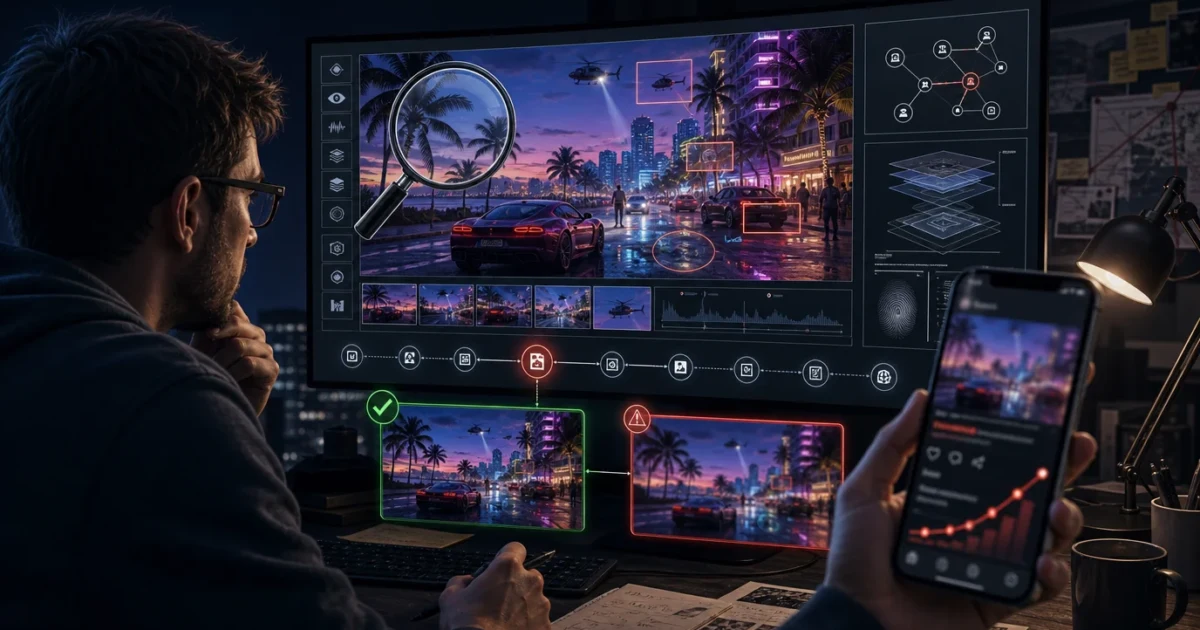
Verification note: Grand Theft Auto VI is currently scheduled to launch on November 19, 2026, for PlayStation 5 and Xbox Series X|S. Any image, video, audio clip, release change, feature list, map, system requirement, or “insider” claim should be treated as unverified until its source and context can be checked.
As GTA 6 approaches release, fake screenshots, edited trailers, AI-generated voices, invented patch notes, recycled footage, and confidently worded rumors will become easier to create and faster to spread. Some will be obvious jokes. Others will be fan concepts clearly labeled as such. The difficult cases will imitate official announcements closely enough to earn thousands of shares before anyone asks where the material came from.
The most important lesson is simple: do not begin by asking whether the pixels look AI-generated. Begin by asking who published the claim, where the original file is, what date it first appeared, and whether Rockstar or Take-Two has published matching information.
Source before screenshot. Context before confidence. Verification before sharing.
A realistic image is not proof—and a strange image is not automatically AI
Older advice often focuses on distorted fingers, broken text, impossible reflections, or strange facial details. Those clues can still justify a closer look, but they are not reliable verdicts. Modern generation and editing tools can produce convincing media, while compression, motion blur, aggressive sharpening, video interpolation, low-resolution reposts, and ordinary rendering bugs can make authentic footage look artificial.
The reverse mistake is just as dangerous: declaring something genuine because the hands, shadows, and interface look normal. A carefully generated image can pass a visual inspection. An edited screenshot can use real trailer material as its base. A fake announcement can copy Rockstar’s fonts and colors while changing only one line of text.
Visual artifacts are clues. They are not provenance.
Use this evidence hierarchy
| Evidence level | What it can support | How to treat it |
|---|---|---|
| Direct Rockstar or Take-Two publication | An announcement, date, trailer, screenshot, edition, or platform detail published through an official property | Strongest starting evidence; still read the exact scope and date |
| Official platform or support listing | Store availability, account-specific unlock information, platform details, or support instructions | Strong evidence for the specific region, account, version, and page reviewed |
| Traceable original file with valid provenance information | Where a file came from and how it may have been changed | Useful positive evidence when the credential and signer validate |
| Independent corroboration | Multiple reputable sources reporting the same original evidence | Helpful only when they are not all repeating one anonymous post |
| Original uploader with a consistent history | Possible context and access | Worth examining, but reputation alone does not confirm the claim |
| Visual clues or AI-detector score | A reason to investigate further | Weak evidence; never use alone for a final accusation |
| Anonymous repost, cropped screenshot, or “trust me” caption | Almost nothing about origin or authenticity | Keep unverified and do not amplify as news |
The 60-second GTA 6 verification check
1. Rewrite the claim in one sentence
Do not verify a vague feeling such as “this looks real.” Identify the exact claim:
- “Rockstar announced a new release date.”
- “This image is an official screenshot.”
- “This clip shows unreleased gameplay.”
- “These are the official PC requirements.”
- “This voice recording is from a Rockstar employee.”
A precise claim is easier to confirm, contradict, or leave unverified.
2. Find the earliest available post
A viral repost is not the source. Follow quoted posts, watermarks, usernames, captions, and upload dates backward. Look for the earliest full-resolution image, longest video, or complete audio clip. If every account points to another account and nobody provides an original, that is a major limitation.
3. Check Rockstar and Take-Two directly
Search the Rockstar Games site, Newswire, Support pages, official GTA VI pages, official Rockstar social links, and Take-Two investor-relations releases. Do not rely on a screenshot that merely looks like one of those pages. Open the real domain and find the announcement there.
For a current summary of confirmed GTA 6 claims, use the GTA6DATA Verified Facts Ledger. A missing item does not prove a rumor false, but it means the detail should not be presented as confirmed.
4. Check the date and the claimed version
Old footage is frequently recycled as new. A fan concept made before Trailer 2 can be reposted after Trailer 2 with a new caption. A genuine image from GTA V, a mod, another open-world game, or an earlier GTA 6 trailer can be cropped and relabeled.
- When was the file first indexed or posted?
- Does the caption claim a platform or build that has been officially discussed?
- Does the visual material already appear in an official trailer?
- Has an old announcement been reposted without its original date?
- Is a regional store page being presented as a worldwide rule?
5. Search the image, not only the caption
Use a reverse-image or visual search to look for earlier matches. Google’s “About this image,” where available, can show when Google first encountered an image or similar versions and can help reveal older context. Crop searches can also be useful when a fake screenshot places a new interface over an existing trailer frame.
An unsuccessful search is not proof that an image is new or genuine. Private posts, newly generated files, and poorly indexed pages may produce no match.
6. Check whether independent reports have independent evidence
Ten articles can still represent one source if all ten cite the same anonymous account. Look for independent documents, separate recordings, direct statements, or original reporting. Repetition increases visibility; it does not automatically increase reliability.
7. Stop before you share
If the source remains unclear, the responsible label is “unverified.” Do not repost it with “probably real,” “Rockstar deleted this,” or “share before it disappears.” Those phrases often turn uncertainty into free distribution.
How to examine a suspicious image
After checking the source, inspect the image as a secondary step. Look across the whole scene rather than zooming only into a hand.
- Text and signage: letters that change shape, inconsistent spelling, meaningless logos, or text that becomes less coherent across nearby surfaces.
- Interface consistency: minimap scale, button prompts, fonts, spacing, weapon icons, and status elements that do not match each other or known official material.
- Geometry: wheels that do not align with axles, railings that merge, roads that vanish, impossible window frames, or repeating objects.
- Lighting and reflections: shadows pointing in conflicting directions or reflections that show a different scene.
- Local detail: faces, jewelry, hands, tattoos, license plates, and vehicle trim changing unnaturally.
- Editing boundaries: halos, inconsistent grain, mismatched sharpness, or compression that changes around one inserted element.
None of these proves AI generation. Ordinary editing, compositing, upscaling, compression, mods, and game-engine artifacts can produce similar signs. The accurate conclusion may be “appears manipulated” rather than “AI-generated.”
How to examine a suspicious video
Videos can hide defects through motion and compression. Slow the clip down and inspect several separated frames.
- Does the character’s face, clothing, jewelry, or body shape change between frames?
- Do cars, signs, doors, crowds, or background structures appear and disappear?
- Does the interface remain anchored and consistent when the camera moves?
- Do reflections and shadows respond consistently?
- Does lip movement match speech?
- Is the clip only a few seconds long, with no original audio or longer source?
- Has it been filmed from another screen to hide detail and metadata?
Compare suspected clips with Rockstar’s official trailers. The GTA 6 Trailer 2 Evidence Register can help identify footage that has been cropped, recolored, re-captioned, or combined with an invented interface.
Do not trust a familiar voice by itself
AI-generated and cloned voices can imitate an executive, developer, actor, journalist, or content creator. Audio should be verified through the channel and context in which it was published—not through resemblance alone.
- Is the full interview, stream, call, or presentation available?
- Was it published by an official or established account?
- Does a transcript or press release contain the same statement?
- Is the clip missing the question that came before the answer?
- Does the audio ask viewers to buy, download, log in, or send money urgently?
A voice that sounds correct can still be synthetic, edited, or taken out of context. Verify through another channel before acting on it.
AI detectors are leads, not judges
Automated AI detectors can return false positives and false negatives. Their performance can fall when media is compressed, cropped, resized, filtered, screen-recorded, generated by an unfamiliar model, or mixed with authentic material. NIST’s synthetic-media work emphasizes that no single technical method is a complete solution and that results depend on the use case and context.
Use detector results only as one input. Do not publish “confirmed AI” because one website produced a percentage score. Do not upload private, confidential, stolen, or personal files to unknown detector services merely to obtain a result.
What Content Credentials can—and cannot—tell you
C2PA Content Credentials can provide cryptographically signed provenance information about how a file was created or changed. When valid credentials are present, they can offer strong evidence about the recorded workflow, signer, tools, and edits.
They are not a universal “real or fake” badge. Not every camera, editor, generator, website, or platform supports them. Metadata may also be removed during reposting or conversion. Therefore:
- A valid credential can be useful positive evidence.
- A broken credential can indicate that the file changed after signing.
- No visible credential does not prove that the content is fake.
- Valid provenance does not automatically prove that every claim in the caption is true.
Platform AI labels help, but absence is not clearance
Some platforms display labels when creators disclose realistic altered or synthetic content, or when the platform receives compatible provenance information. For example, YouTube can show “Made with AI” or related production disclosures.
A label is useful context. A missing label is not proof of authenticity: a creator may fail to disclose, the alteration may not meet the platform’s labeling threshold, the upload may predate the system, or the platform may not detect or receive the relevant information.
Watch for fake links, downloads, pre-orders, and account prompts
A fake leak can be more than a misleading image. It can be bait for account theft, malware, fraudulent keys, fake beta access, or payment scams.
- Do not install a “leaked GTA 6 build,” unofficial launcher, codec, browser extension, or verification tool.
- Do not enter Rockstar, PlayStation, Xbox, email, or payment credentials through a link attached to a rumor.
- Open official stores and account pages independently rather than through a viral post.
- Do not pay for alleged beta access, review access, source files, map files, or private download keys.
- Be suspicious of urgency, secrecy, cryptocurrency requests, and instructions to disable security software.
Official GTA 6 purchase and release information should be confirmed through Rockstar, Take-Two, the relevant platform store, or an established retailer—not through a direct message.
Use careful language when reporting a suspected fake
Critique the evidence rather than attacking the person who posted it. A user may be the original creator, a deliberate deceiver, a parody account, or simply someone who believed a repost. Without evidence, do not label an individual a fraudster, criminal, scammer, or liar.
| Avoid | Prefer |
|---|---|
| “This person created an AI fake.” | “The original source could not be verified, and the file shows signs of possible manipulation.” |
| “This is definitely AI.” | “Synthetic generation is one possibility, but editing and compression have not been ruled out.” |
| “Rockstar exposed this liar.” | “The claim conflicts with Rockstar’s current published information.” |
| “Everyone sharing this is scamming people.” | “The post links to an unverified download or payment request; do not use it.” |
| “No metadata means fake.” | “The available file contains no usable provenance information.” |
Use “false” when there is strong evidence of falsity—for example, the image is traced to an older unrelated source, the page is a documented imitation, or the claim directly contradicts a current official announcement. Otherwise, use a narrower label.
A practical label system for GTA 6 rumors
| Label | Use it when |
|---|---|
| Verified official | The exact claim is supported by a current Rockstar, Take-Two, Rockstar Support, official trailer, or official platform record. |
| Unverified | The source, original file, or independent evidence is insufficient. |
| Context mismatch | The media is real but the date, game, platform, location, or caption is wrong. |
| Appears edited | There is evidence of compositing, altered text, changed interface elements, or another modification. |
| Suspected synthetic media | AI generation is plausible, but the evidence is not sufficient for certainty. |
| Parody or fan-made | The creator clearly identifies the work as a joke, concept, reenactment, mod, or fan creation. |
| False or officially contradicted | The claim has been disproved by traceable evidence or conflicts directly with a current official record. |
| Needs review | The material is important enough to preserve, but current evidence does not support a reliable classification. |
Examples of the correct response
“Official GTA 6 PC requirements leaked”
Check Rockstar’s current platform pages and support records. If no official PC release details or system requirements are published, label the list unverified. Do not call it official because the table uses familiar hardware names or a professional design.
“Rockstar secretly uploaded Trailer 3”
Find the original Rockstar channel or Newswire page. Compare the footage with existing trailers. A re-edited fan trailer remains fan-made even when it combines real official clips.
“A developer confirmed a feature in leaked audio”
Look for the full interview, event, stream, or recording. Confirm the speaker through an independent official source. Until then, label both the identity and the feature claim unverified.
“This screenshot proves the full map”
Search for earlier versions and compare visible geography with official media. A convincing map graphic does not establish final boundaries, scale, enterable locations, or gameplay access.
The share-or-stop checklist
- Can I state the exact claim?
- Did I find the original post or file?
- Did I check Rockstar and Take-Two directly?
- Did I check the date, region, platform, and version?
- Did I search for earlier or visually similar images?
- Are independent sources providing independent evidence?
- Am I treating detector results as clues rather than proof?
- Is the label narrower than the evidence?
- Does the post contain a download, login, payment, or urgency trap?
- Would sharing it add verified information—or only amplify uncertainty?
If several answers are “no,” stop. Save the material for later review instead of turning it into a new rumor source.
The bottom line
The best defense against fake GTA 6 leaks is not perfect eyesight or a magical AI detector. It is a repeatable source-first process: identify the claim, trace the original, check official records, confirm the date and context, examine provenance, compare independent evidence, and use cautious labels.
AI-generated media will make some rumors more convincing, but the central rule has not changed. If the evidence cannot be traced, it is not confirmed—no matter how many views it has.
Sources and verification notes
- Rockstar Games: GTA VI release-date update
- Rockstar Games official site and official social links
- Take-Two Interactive: official GTA VI release and preorder information
- NIST: Reducing Risks Posed by Synthetic Content
- NIST: Evaluating systems against AI-generated deepfakes
- C2PA: Content Credentials FAQs
- Google Search Help: About this image
- YouTube Help: How altered and synthetic content disclosures work
- FTC: AI voice-cloning scam awareness
Last verified: July 29, 2026. This article provides general media-literacy and online-safety information, not a forensic finding or legal opinion about any specific person or post.